For every passionate Destiny 2 player, the thrill of crafting the perfect build is unmatched. Enter the d2 armorpicker, a game-changing tool that transforms how you approach your armor and stats. No more endless guessing or frustrating trial and error, armor picker helps you unlock your character’s full potential. Whether you’re diving into intense PvP battles or conquering epic PvE challenges, this tool gives you the confidence and edge to dominate the game like never before. Imagine stepping into every encounter knowing your gear is perfectly optimized, that’s the power of armorpicker.
What is ArmorPicker?
ArmorPicker is a third-party online tool designed specifically for Destiny 2. Its main purpose is to allow players to calculate the best combinations of armor to achieve desired stats such as resilience, mobility, and recovery. Players can input their available armor pieces and mods, and the tool will analyze the data to suggest the most effective setup. This makes it an essential resource for anyone serious about improving their gameplay.
How ArmorPicker Works
The process of using armorpicker is straightforward, but it is packed with features. First, you select your character class and the stats you want to focus on. The tool will then allow you to add all your equipped armor pieces and mods. Once the data is entered, armorpicker calculates every possible combination and provides a detailed list of optimal builds. This ensures you always have the most effective armor setup for your style.
The tool works in real-time and is updated regularly to reflect new Destiny 2 expansions and seasonal changes. This ensures your gear combinations remain relevant and effective throughout your gameplay journey.
Who Created ArmorPicker?
ArmorPicker was developed by a passionate community of Destiny 2 players who wanted a smarter way to optimize armor builds. The tool is maintained by dedicated developers and contributors who continuously update it to reflect new expansions, seasonal content, and game mechanics. While the original creator is not officially listed by name, the project thrives thanks to community feedback and collaboration, making it a trusted resource for players worldwide who want to maximize their Destiny 2 performance.
Key Features of ArmorPicker
ArmorPicker is much more than a simple calculator; it’s a complete toolkit for mastering your Destiny 2 builds. Each feature is designed to give you precise control, save time, and make your gameplay more strategic. Let’s dive into its standout features:
1. Select Specific Armor Pieces
With ArmorPicker, you can choose exactly which armor pieces to include in your calculations. Whether you want to focus on a favorite helmet or a rare exotic chest, the tool considers every piece, allowing you to tailor your setup to your playstyle. This means you’re not guessing which armor will fit best—you have data-backed decisions at your fingertips.
2. Prioritize Your Desired Stats
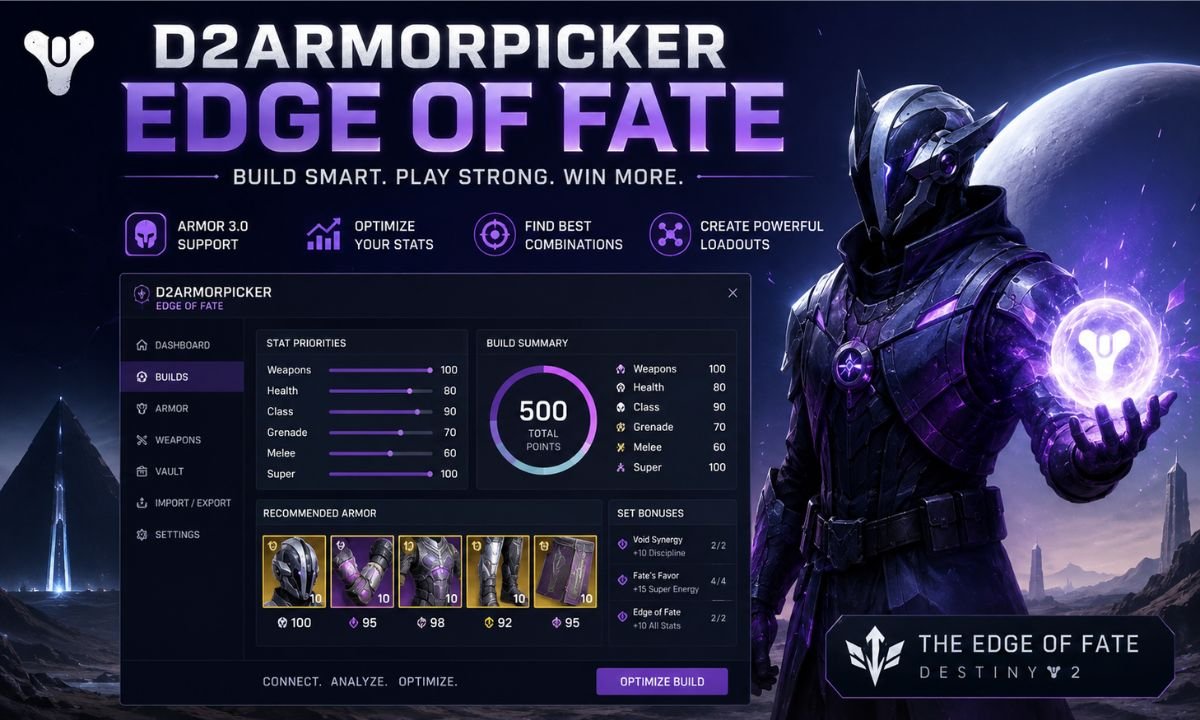
Not all stats are equal, and ArmorPicker understands that. You can set your priorities for stats like resilience, mobility, or recovery. The tool then calculates the best combinations to maximize the stats that matter most for your character. This ensures your build is perfectly tuned for PvP skirmishes or high-stakes PvE encounters.
3. Filter Out Unwanted Mods
ArmorPicker gives you the ability to filter out mods you don’t want to use. This feature is especially helpful if certain mods don’t fit your strategy or if you’re saving rare mods for future builds. By filtering carefully, you maintain complete control over your customization and prevent clutter in your calculations.
4. Visual Representation of Your Build
Understanding how stats combine can be overwhelming, but ArmorPicker simplifies it with a visual display of your armor setup. Each armor piece and its contribution to your overall stats is shown clearly, so you can immediately see how changes impact your build. This makes decision-making intuitive and less stressful.
5. Exotic Armor Calculations
Exotic armor pieces often have unique perks that dramatically influence gameplay. ArmorPicker supports these calculations, allowing you to experiment with exotic builds without manually testing every combination. You can quickly determine how each exotic piece interacts with your mods and stats to achieve high-performance setups.
6. Experiment with Different Mods
One of the most powerful features of ArmorPicker is the ability to test different mods and immediately see how they impact your final stats. This means you can try multiple strategies, find the perfect synergy, and enter every activity fully prepared. The tool essentially becomes your personal build simulator, saving hours of trial and error.
7. Strategic Planning for Challenges
The combination of all these features gives you complete control over your armor builds. You can plan ahead for difficult raids, competitive PvP matches, or seasonal events. ArmorPicker allows you to strategically fine-tune your character, giving you a competitive edge and confidence in every encounter.
How to Download ArmorPicker
Getting started with ArmorPicker is simple when you follow these steps:
| Step | Action | Details / Tips |
| 1 | Visit Official Website | Use a secure browser to access the latest version of ArmorPicker safely. |
| 2 | Choose Platform | Decide between the desktop application and the web-based tool depending on your preference. |
| 3 | Download & Install | For the desktop version, follow the on-screen instructions to install it on your computer. |
| 4 | Launch ArmorPicker | Open the tool after installation to begin setting up your builds. |
| 5 | Select Character | Pick your Destiny 2 character to input armor pieces and mods. |
| 6 | Start Optimizing | Enter your gear, set stat priorities, and let ArmorPicker calculate the best armor combinations for your playstyle. |
Benefits of Using ArmorPicker
Discover why ArmorPicker has become an essential tool for every Destiny 2 player. It’s not just about stats it’s about playing smarter and dominating the game.
- Saves Time: ArmorPicker eliminates the need for trial and error. You no longer have to test every armor combination manually to find the best stats.
- Maximizes Effectiveness: The tool identifies the optimal armor setup for your goals, whether you’re dominating in Crucible or conquering challenging raids.
- Boosts Strategic Planning: By analyzing different builds, you can plan ahead for any activity, ensuring your character is fully prepared for both PvP and PvE encounters.
- Deepens Stat Understanding: ArmorPicker helps players learn how armor pieces and mods interact, teaching you how to distribute stats efficiently for maximum performance.
- Enhances Gameplay Confidence: With precise calculations, you can step into any battle knowing your build is optimized, giving you a competitive edge and more fun in the game.
ArmorPicker for PvP and PvE
In PvP, having the right stats can make a significant difference. ArmorPicker helps you balance resilience, recovery, and mobility to survive longer and perform better in competitive matches. For PvE, the tool allows players to optimize their builds for raid or dungeon encounters, where specific stats can provide advantages against bosses or waves of enemies.
By customizing your armor with armorpicker, you can adapt to different challenges in Destiny 2. This flexibility ensures that you can maintain high performance in both PvP and PvE activities without constantly swapping gear manually.
Using ArmorPicker Step by Step
To get started with armorpicker, follow these steps:
- Visit the official armorpicker website.
- Select your Destiny 2 character class.
- Input your available armor pieces and mods.
- Set your desired stat priorities.
- Review the recommended armor combinations and select your optimal build.
This process ensures that you have a clear plan for enhancing your character’s stats and achieving your gameplay goals.
Example: Optimizing for PvP
Suppose you want to focus on PvP and need a balance between resilience and mobility. You input your armor into armorpicker, prioritize the desired stats, and the tool suggests a combination that maximizes your durability while keeping you agile. You can also include specific exotic armor pieces that offer unique abilities, making your build more effective in competitive matches.
| Armor Piece | Recommended Stat | Mod Suggestion |
| Helmet | +7 Resilience | Enhanced Targeting Mod |
| Gauntlets | +6 Mobility | Weapon Handling Mod |
| Chest | +8 Recovery | Ammo Finder Mod |
| Legs | +6 Resilience | Sprint Boost Mod |
| Class Item | +5 Mobility | Minor Stats Boost |
This table represents a hypothetical setup that armorpicker might recommend based on your selected priorities.
Why ArmorPicker is Popular
The popularity of armorpicker stems from its ease of use and reliability. Players no longer need to spend hours experimenting with gear combinations. Instead, they can trust the tool to provide optimal builds. Its ability to update with new game content ensures that it remains relevant for all Destiny 2 players.
Furthermore, armorpicker is a community-driven tool, meaning it often receives feedback and improvements from experienced players. This collaborative approach ensures that the tool stays accurate and effective for both new and veteran players.
Common Misconceptions About ArmorPicker
Some players assume that using armorpicker removes the fun of experimenting with gear. However, the tool is designed to enhance gameplay rather than replace it. By automating the calculation of stats and combinations, players can focus on testing strategies and playing the game instead of worrying about suboptimal builds.
Another misconception is that armorpicker is only useful for high-level players. In reality, it benefits both beginners and advanced players by providing clear guidance and efficient build planning.
Tips for Getting the Most from ArmorPicker
Make sure you get the full advantage of ArmorPicker with these practical tips. Using the tool wisely can save time, improve your builds, and give you a competitive edge.
- Keep Your Armor Inventory Updated: Always enter new armor pieces and mods into ArmorPicker to reflect your latest acquisitions.
- Experiment with Stat Priorities: Try different combinations of resilience, mobility, and recovery to see how changes affect your overall performance.
- Use the Visual Build Display: Take advantage of the tool’s graphical representation to analyze your gear setup before making final decisions.
- Stay Aware of Seasonal Updates: Destiny 2 regularly introduces new mods and armor pieces. Updating ArmorPicker ensures your builds stay current and effective.
- Plan Strategically: Use ArmorPicker to prepare for raids, PvP, and special events, giving yourself a clear advantage in every activity.
Understanding how your stats and reflexes influence performance can make your Destiny 2 gameplay even stronger. Learn more about how reaction time affects gaming here.
Conclusion
Armorpicker is an indispensable tool for Destiny 2 players who want to optimize their armor setups. By providing detailed calculations and recommendations, it saves time, improves performance, and deepens your understanding of the game’s stat system. Whether you are a casual player or a competitive gamer, armorpicker offers clear advantages that can enhance every aspect of your gameplay. Incorporating it into your routine ensures that you can focus on enjoying the game while maintaining the most effective armor builds possible.
Using d2 armorpicker is the smartest way to enhance your Destiny 2 experience, giving you a clear advantage in both PvP and PvE content.
FAQ About ArmorPicker
1. What is ArmorPicker?
ArmorPicker is a powerful tool for Destiny 2 that helps players calculate the best armor combinations and optimize stats for both PvP and PvE gameplay.
2. How do I use ArmorPicker?
Simply select your character, input your armor pieces and mods, set your desired stat priorities, and let the tool calculate the optimal builds.
3. Is ArmorPicker safe to use?
Yes. ArmorPicker only reads your armor and stats data via Bungie’s secure OAuth login. It does not store passwords or personal information.
4. Can ArmorPicker handle exotic armor and mods?
Absolutely. The tool supports exotic armor calculations and lets you experiment with different mods to create high-performance builds.
5. Do I need to update ArmorPicker regularly?
Yes. Keep your armor inventory and the tool updated to reflect new Destiny 2 expansions and seasonal content for the most accurate build suggestions.